
Bid out light commercial work to qualified local trades
Retail, office and restaurant build-outs need trades who are insured, available and close. Post the drawings, mark the project commercial, and compare bids side by side.

Commercial projects, same simple bidding
Contracting Bridge is built residential first, and it handles light commercial work the same way. Mark a project commercial when you post it, and trades who want that work can filter for it.
- Tenant build-out, addition, maintenance and new construction project types
- Drawings, specs and spreadsheets up to 50 MB each
- Insured and Licensed badges on every bidder
- Invite-only projects for a pre-qualified short list

How commercial contractors use it
Post the bid package
Drawings, specs, schedule and the trades you need, marked commercial.
Qualify the bidders
Invite your list, check badges and reviews, and answer questions in messages.
Level and award
Use sealed bidding so every bid opens together, then compare inclusions and start dates side by side.
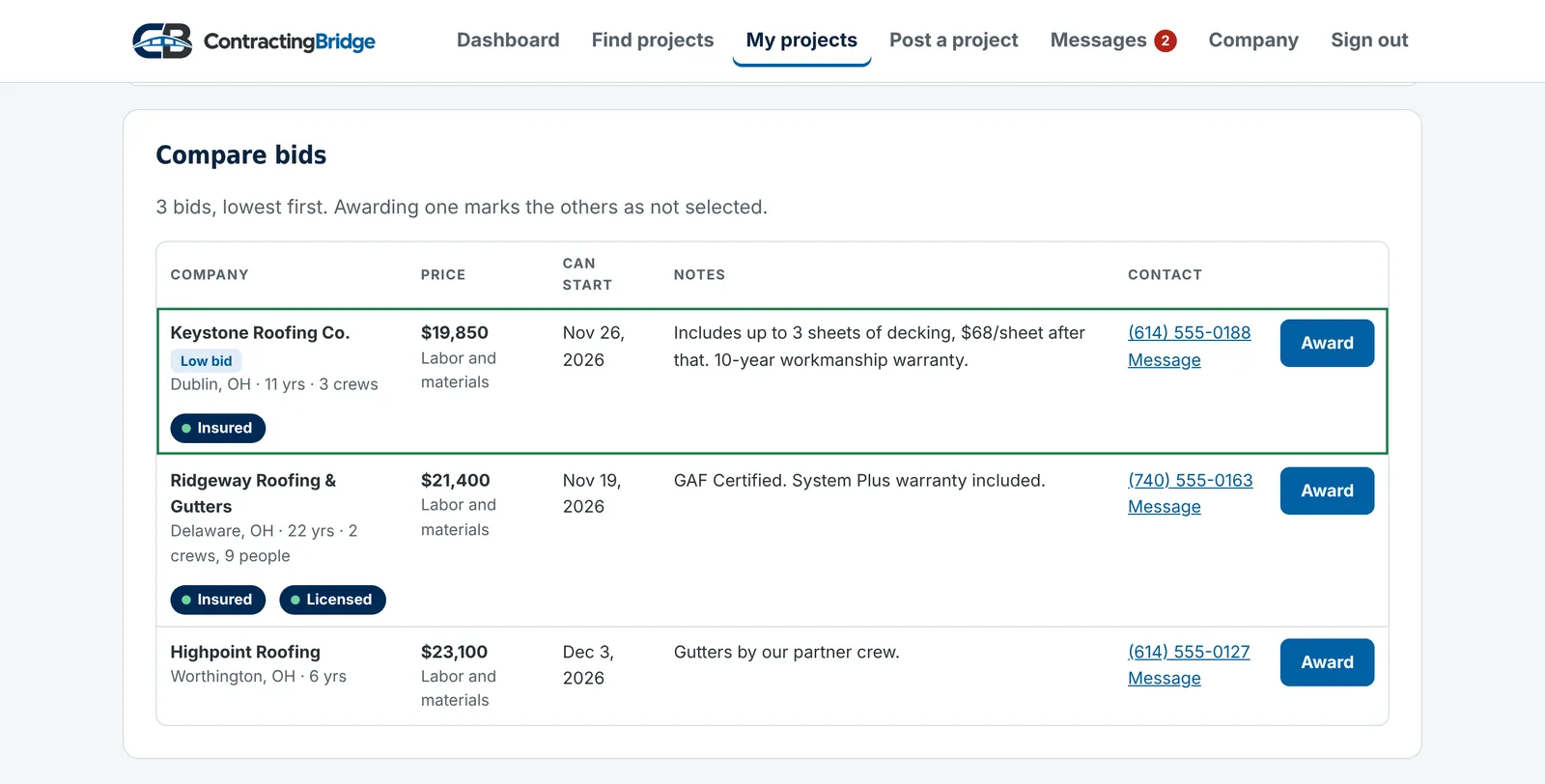
Every bid on one screen
Price, pricing basis, earliest start, notes, badges and contact details line up for every bidder, lowest first.
- Sealed bidding for a fair, all-at-once comparison
- Close bidding early when you have enough numbers
- Message any bidder from the comparison
Questions
Can I post commercial work?
Yes. Mark a project as residential or commercial when you post it. Trades can filter for either one.
Who can see my project?
Only companies we've approved. Post to "Trades nearby" and it shows up for trades in the trades you picked who work in that area. Choose "Invite only" and only the companies you invite can see it. Nobody sees the street address.
Can I see bids before the due date?
Yes. By default you see each bid the moment it arrives, and you can award one any time, which closes bidding. If you'd rather compare everything at once, choose "Sealed until the due date" when you post, and bids stay hidden until bidding closes. Either way, trades never see each other's bids.
How do you check insurance and licenses?
Companies upload their certificate of insurance and license. Our team reviews each one and checks licenses with the issuing state. The Insured and Licensed badges appear only after a document is approved.
What files can I upload?
PDFs, photos (JPG, PNG, HEIC), spreadsheets, Word documents and ZIP files, up to 50 MB each. Only approved companies who can see the project can open them.
Do you take a cut of the job?
No. You work out the contract and payment directly with the company you hire. Contracting Bridge never handles payment for the work.
Set up your company in about five minutes
Company name, ZIP code and the trades you do. Insurance and license badges can come later.